On This Page
- Why People Are Actively Looking for Cloud Storage Alternatives
- Where Traditional Cloud Storage Falls Short
- A Practical Framework to Evaluate Any Cloud Storage Alternative
- Privacy-First Cloud Storage Alternatives
- Budget-Friendly Object Storage Alternatives to S3 (Wasabi, Backblaze B2, etc.)
- Self-Hosted & NAS-Based Cloud Storage Alternatives
- Decentralized & Web3 Storage Alternatives
- Hybrid, Multi-Cloud & Aggregator Tools as “Alternatives”
- Which Cloud Storage Alternative Is Right for You?
- A Simple Migration Plan When Switching Cloud Storage Providers
- Quick FAQs
If you’re searching for “cloud storage alternatives”, you’re probably feeling one (or more) of these:
“My cloud bill keeps creeping up and I don’t even know why.”
“I don’t want Big Tech reading or mining my files.”
“We need data residency or compliance (GDPR, HIPAA, Canadian laws, etc.).”
“S3/Drive/Dropbox work… but they’re not built exactly for our use case.”
You’re not alone. The global cloud storage market is projected to grow from about $161.28 billion in 2025 to over $639 billion by 2032 (around 21–22% CAGR), which means more providers, more niche options, and more complexity than ever.
This guide breaks down concrete, non-generic cloud storage alternatives category by category, with pricing, security facts, compliance angles, and visual comparisons so you can match specific tools to your use case instead of picking yet another “Top 10” list at random.
Why People Are Actively Looking for Cloud Storage Alternatives
A few macro trends explain the surge in searches for “cloud storage alternatives”:
Exploding data + exploding costs
Cloud computing as a whole is expected to grow from about $752 billion in 2024 to over $2.39 trillion by 2030, at more than 20% CAGR.
As workloads scale, “cheap per-GB pricing” quickly turns into complex bills (storage + requests + egress + replication).
Hidden fees on the big hyperscalers
For Amazon S3 Standard, independent cost guides still quote $0.023/GB-month for the first 50 TB, which is roughly $23/TB per month just for storage, before you pay anything for data transfer, requests or retrieval.
For teams serving large files (media, backups, analytics), this is painful.
Privacy and data-mining fatigue
Many mainstream “free” or cheap cloud tools monetize via data or behavior, not just subscription fees. For regulated industries and privacy-conscious users, that’s a deal-breaker.
Data sovereignty & compliance
Organizations care where data lives (EU, Canada, India, etc.) and whether providers help them meet GDPR, HIPAA, PCI, or national privacy laws. That’s pushing people toward regional and niche providers.
Vendor lock-in & multi-cloud strategies
Once dozens of apps and users are wired into one provider, moving away is hard. Companies increasingly want S3-compatible, open, or self-hosted options to avoid lock-in.
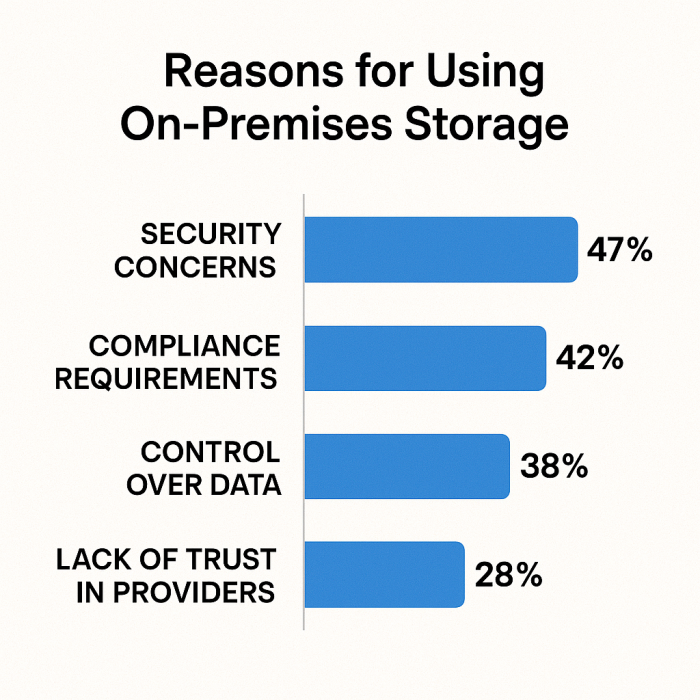
Why it matters:
It visually reinforces that cloud storage is not a mature, static utility — it’s still rapidly evolving, which is exactly why lots of credible alternatives are emerging.
Where Traditional Cloud Storage Falls Short
Before picking alternatives, you need clarity on what you’re escaping from:
Cost structure complexity (esp. S3 & big clouds)
With AWS S3, your bill is a combination of:
Storage per GB
PUT/GET requests and other operations
Data transfer out (egress)
Expert breakdowns show that storage is only one part; fees and data transfer often become the hidden killers.
Opaque or broad data access
Many consumer tools don’t give you end-to-end encryption; the provider can technically access contents for scanning, indexing, or “product improvements.”
Limited control over data location
Some services don’t let you force a specific country/region, which is problematic for public sector, healthcare, or finance.
Feature mismatch
A media studio, a regulated clinic, and a SaaS startup need very different things: S3 APIs, legal hold, zero-knowledge encryption, or simple collaboration. The “one size fits all” tools often fall short.
A Practical Framework to Evaluate Any Cloud Storage Alternative
When you look at cloud storage alternatives, evaluate them across these dimensions:
Total Cost of Ownership (TCO)
$/TB–month (or $/GB–month)
Egress charges and request fees
Minimum commitments or “minimum billable TB”
Performance & Access Pattern
Hot vs cold storage
Latency and throughput requirements
Security & Privacy
End-to-end encryption?
Zero-knowledge (provider can’t decrypt)?
2FA, SSO, key management options?
Compliance & Data Residency
Region selection (EU, Canada, etc.)
Support for HIPAA, GDPR, local laws
Integrations & Ecosystem
S3 API compatibility
Desktop/mobile apps
Backup tools, media tools, analytics tools
Governance & Admin Features
Roles, access policies, audit logs, legal hold
Lock-in & Exit
Portability: can you move data out easily at reasonable cost?
Open standards / S3 compatibility / self-hosted options
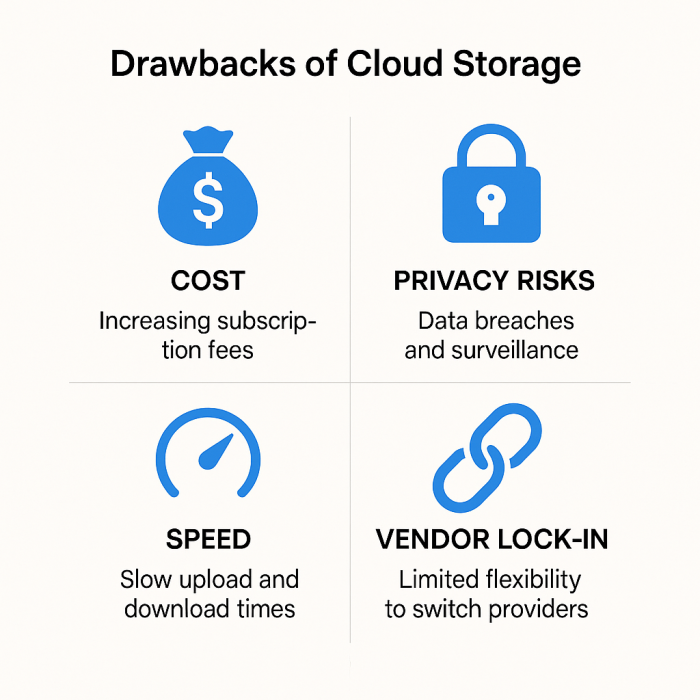
You instantly see:
- Hyperscalers score high on flexibility but low on predictable cost and zero-knowledge.
- Privacy tools score high on zero-knowledge, medium on integrations.
- Object storage alternatives score high on cost predictability and S3 compatibility.
Privacy-First Cloud Storage Alternatives
If privacy and compliance matter more than raw cost, these are serious contenders.
Sync.com – End-to-End Encrypted, Canadian Data Residency
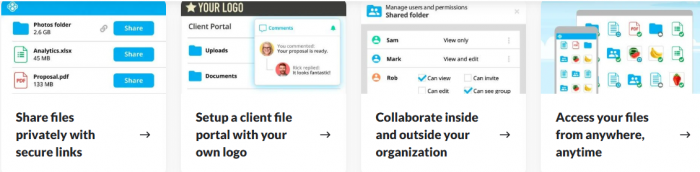
Why it’s different:
- End-to-end encryption with zero-knowledge authentication, so even Sync cannot read your files.
- Datacenters in Canada, designed to comply with Canadian federal and provincial privacy laws (FIPPA, PHIPAA, etc.), making it attractive for privacy-sensitive organizations across North America.
- Desktop, mobile, and web apps with team sharing, permission controls, and file versioning.
Ideal for:
Law firms, clinics, agencies, and individuals who want Drive/Dropbox-like UX but refuse to compromise on content privacy.
Other Privacy-Focused Alternatives to Consider
- Proton Drive – Built by the Proton (ProtonMail) team; strong privacy culture, encryption, Swiss jurisdiction.
- Tresorit – Zero-knowledge, enterprise-grade security, strong in Europe and regulated verticals.
- pCloud – Offers lifetime plans and an optional client-side encryption add-on (pCloud Crypto) for zero-knowledge protection.
These providers usually cost more per TB than raw object storage but are far cheaper than a data breach or non-compliance fine.
Budget-Friendly Object Storage Alternatives to S3 (Wasabi, Backblaze B2, etc.)
If your main pain is S3-style costs and complexity, look at S3-compatible, flat-priced providers.
Wasabi – Flat-Fee Hot Cloud Storage, No Egress Fees
Wasabi positions itself explicitly as an alternative to the hyperscalers:
- Flat rate from about $6.99 per TB/month (≈ $0.0068/GB-month).
- Free ingress, free egress, and free API requests in its core Pay-As-You-Go model (no per-GB data-transfer penalties)
- S3-compatible APIs, supported by many backup and media tools.
When you compare this to S3’s ~$23/TB-month headline storage price (for the first 50 TB), Wasabi can reduce raw storage costs by roughly 70%, and that’s before you factor in egress savings.
Trade-offs:
- You’re betting on a smaller specialist vs AWS scale.
- Fewer built-in compute or analytic services – it’s “storage only”.
Backblaze B2 – Low-Cost Object Storage at ~$6/TB-Month
Backblaze B2 is another popular choice:
- Guides report pay-as-you-go pricing starting around $6/TB-month for hot storage.
- Backblaze markets B2 as about 1/5th the cost of Amazon S3, Azure, and Google Cloud storage.
- They offer unlimited free egress when traffic goes through certain CDN/compute partners, and B2 Overdrive adds unlimited free egress to any destination for throughput-heavy workloads.
Strong fit for:
- Backup vendors, media workflows, SaaS apps needing cheap, S3-compatible storage.
- Projects where bandwidth and transfer costs are a major issue.
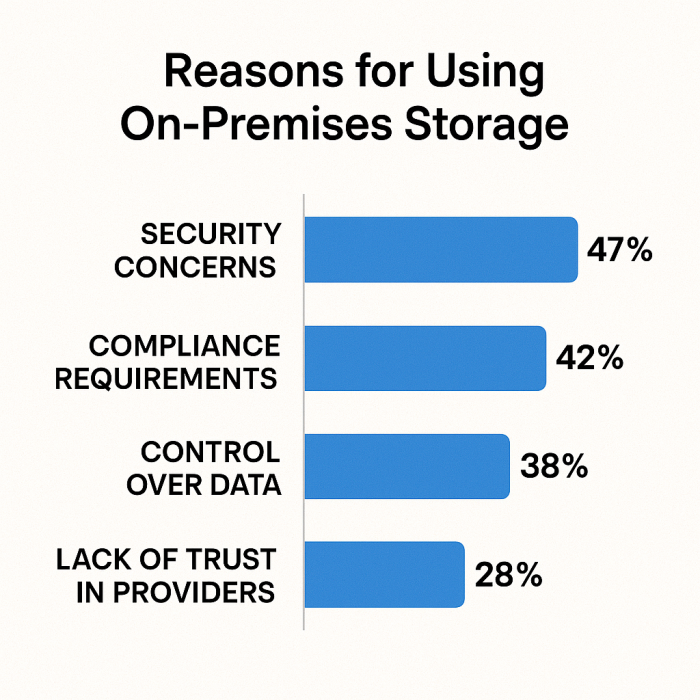
The chart visually shows that specialist object storage alternatives are ~70–75% cheaper on raw storage vs S3, plus they simplify or remove egress fees.
Self-Hosted & NAS-Based Cloud Storage Alternatives
If you want maximum control and are comfortable managing infrastructure, self-hosted “cloud” can be compelling.
Nextcloud & ownCloud – Your Private Cloud Stack
Run on your own server, VPS, or NAS:
- Features: File sync and share, browser access, desktop/mobile clients, collaboration, apps (calendar, contacts, notes).
- You control where the server is hosted (office, local datacenter, EU-only VPS, etc.).
- You can combine cloud IaaS (like a cheap VPS) + Nextcloud to build your own Dropbox-style service.
Pros:
- Maximum data sovereignty and control.
- Flexible integrations via open source ecosystem.
- One stack can serve many users.
Cons:
- You are responsible for security updates, backups, scaling.
- Upfront setup and DevOps overhead vs SaaS.
NAS Vendors (Synology, QNAP, TrueNAS)
Modern NAS devices let you:
- Create private “cloud drives” accessible remotely.
- Sync with S3-compatible storage (e.g., Wasabi, B2) for offsite backup.
- Offer multi-user file shares with permission controls.
Great for SMBs, prosumers, and small teams who want LAN-speed access + offsite redundancy without trusting third-party SaaS with everything.
Decentralized & Web3 Storage Alternatives
If you’re exploring web3 / decentralized architectures, a different class of cloud storage alternatives appears:
- Storj – Decentralized, encrypted object storage network; data is split and stored on independent node operators.
- Filecoin / IPFS – Content-addressable storage, with economic incentives tied to blockchains.
- Arweave – “Permanent” storage, often used for long-term archiving of NFTs, websites, and datasets.
Strengths:
- Potential censorship resistance and geographic diversity.
- Some models can be cost-competitive for certain use cases.
Caveats:
- Tooling and documentation are less mature than mainstream cloud.
- Pricing models can be volatile and harder to forecast.
- Compliance and auditability for regulated businesses may be challenging.
For most organizations, these are specialized supplements, not complete replacements, but they’re legitimate cloud storage alternatives for specific architectures.
Hybrid, Multi-Cloud & Aggregator Tools as “Alternatives”
Sometimes the best “alternative” is not one provider, but a layer that sits on top of many providers:
Cloudflare R2 – S3-compatible object storage with zero egress fees (to the internet), ideal for pairing with Cloudflare CDN.
Koofr, MultCloud, Otixo – Tools that connect multiple cloud accounts (Drive, Dropbox, OneDrive, WebDAV, S3) and give you a unified interface.
rclone / restic / Duplicati / Veeam – Open-source or commercial backup tools that let you move data across providers (S3, B2, Wasabi, etc.) and avoid lock-in.
In this model, your “cloud storage alternative” is really:
“A strategy: spread risk, use multiple providers, and keep a portable copy and exit path at all times.”
Which Cloud Storage Alternative Is Right for You?
Instead of starting from providers, start from your scenario.
1. Solo Creator / Freelancer
Pain: Need something safer and more private than Google Drive, but easy.
Good alternatives:
Sync.com or pCloud (with Crypto add-on) for private sync.
Proton Drive if you’re already in the Proton ecosystem.
2. Remote-First Startup or SaaS Team
Pain: Big S3 bills, multi-TB assets, or vendor lock-in.
Good alternatives:
Wasabi or Backblaze B2 as primary object storage.
Cloudflare R2 for public assets where egress costs hurt.
Keep a small footprint on AWS/GCP/Azure for specific managed services.
3. Compliance-Heavy Organization (Legal, Healthcare, Public Sector)
Pain: Data residency, privacy laws, formal certifications.
Good alternatives:
Sync.com (Canadian residency, strong privacy, alignment with Canadian privacy laws).
Tresorit or Proton Drive for European focus.
Self-hosted Nextcloud in a certified datacenter for maximum control.
4. Backup-Heavy Use Case (IT, Media, Photography)
Pain: You’re storing lots of cold or warm data; access is rare but you must trust durability.
Good alternatives:
Backblaze B2, Wasabi as primary bulk storage.
Combine with tools like Veeam, MSP360, or restic for automation.
5. Developer & Data Teams
Pain: Need programmatic access, S3 API compatibility, integration with tools.
Good alternatives:
Wasabi / Backblaze B2 / Cloudflare R2 (all S3-compatible) as drop-in alternatives to S3 for object storage.
Keep using the same SDKs, just change endpoints and credentials.
| Scenario | Priority | Recommended Cloud Storage Alternatives |
| Solo creator / freelancer | Privacy + UX | Sync.com, pCloud (+Crypto), Proton Drive |
| Remote-first SaaS | Cost + APIs | Wasabi, Backblaze B2, Cloudflare R2 |
| Regulated org (healthcare, legal) | Compliance | Sync.com, Tresorit, self-hosted Nextcloud |
| Backup-heavy workloads | Low cost + bulk | Backblaze B2, Wasabi, S3 Glacier / cold-tier paired with tools |
| Developer / data engineering teams | S3 API + cost | Wasabi, Backblaze B2, R2, plus orchestration with rclone/backup |
A Simple Migration Plan When Switching Cloud Storage Providers
Choosing a cloud storage alternative is step one. Migrating without chaos is step two.
Inventory your data
Classify: hot vs cold, sensitive vs non-sensitive.
Identify: which apps rely on which buckets/folders.
Pick your target architecture
One main provider + backup provider
Or multi-cloud strategy (e.g., Wasabi for backups, R2 for public assets, Sync.com for internal docs).
Pilot with a non-critical dataset
Move one project or department.
Measure real-world upload/download speeds and latency.
Check ACLs, sharing permissions, and API calls.
Plan cutover & dual-write period
For a while, write to both old and new storage (if your apps allow).
Update applications to new endpoints/SDKs.
Decommission carefully
Confirm all critical workloads run on the alternative.
Export logs, reports, and set a retention period before deleting old buckets.
Each box lists 2–3 bullet actions (e.g., in “Pilot”: upload sample data, test restores, test team sharing).
Quick FAQs
Q1. Are cloud storage alternatives as reliable as the big names?
Many object storage specialists (Wasabi, Backblaze B2) advertise durability figures comparable to hyperscalers and are used by backup vendors and large organizations. Always verify SLA, durability numbers, and redundancy options in the provider docs.
Q2. Are zero-knowledge providers slower?
End-to-end encryption can add a small overhead, but for typical office workloads (docs, PDFs, images) most users won’t notice. For huge video or analytics workloads, you might separate encrypted “sensitive data” storage from cheaper bulk storage.
Q3. Is self-hosting really worth it vs SaaS?
Self-hosting (Nextcloud, ownCloud, NAS) is worth it if:
You have in-house technical capacity; and
The value of data control + sovereignty is high.
For small non-technical teams, it’s often easier to pick a managed, privacy-focused provider.
Q4. Can I mix providers without confusing users?
Yes, if you design it intentionally:
Use one tool for internal collaboration (e.g., Sync.com / Nextcloud).
Another for bulk backups (Wasabi / B2).
An optional layer like rclone or MultCloud to bridge and sync.
Post Comment
Be the first to post comment!