On This Page
- Quick Picks
- What Is an AI Meeting Assistant?
- What to Look for in an AI Meeting Assistant
- #1. Bluedot — Best AI Meeting Assistant Overall
- Why Bluedot stands out
- Bluedot Pricing
- Bluedot Pros and Cons
- #2. Fireflies AI — Best for CRM Integrations
- #3. Fathom — Best Free Plan for Individuals
- #4. tl;dv — Best for Async Teams
- #5. Krisp AI — Best for Bot-Free + Noise Cancellation
- How We Evaluated These Tools
- Which AI Meeting Assistant Is Right for You?
- Why Bluedot Is the Best AI Meeting Assistant in 2026
The average professional spends over 31 hours per month in meetings. Of that, a significant chunk goes to manually writing notes, chasing action items, and summarizing what was discussed — work that AI can now handle automatically.
But not all AI meeting assistants are created equal. Some join your calls as a visible bot that makes clients uncomfortable. Others have weak transcription, limited language support, or privacy policies that should give any security-conscious team pause.
In this guide, we've tested and ranked the 5 best AI meeting assistants in 2026 — covering transcription accuracy, privacy, bot-free recording, language support, integrations, and pricing. Whether you need a lightweight note-taker or a full revenue intelligence platform, there's a right tool for your workflow.
Quick Picks
● Bluedot — Best overall: bot-free, 100+ languages, private by default
● Fireflies AI — Best for CRM integrations and sales teams
● Fathom — Best free plan for individual users
● tl;dv — Best for async teams and video highlights
● Krisp AI — Best for noise cancellation + bot-free recording
What Is an AI Meeting Assistant?
An AI meeting assistant is software that automatically records, transcribes, and summarizes your meetings — so you can stay present in the conversation instead of taking notes. The best ones go further: they extract action items, identify key decisions, integrate with your CRM, and let you search across past meetings.
In 2026, there are two main approaches to how these tools work:
Bot-based: A visible bot joins your call as an extra participant, records the audio, and sends you notes afterward. Most tools in the market use this approach.
Bot-free: The tool records via a Chrome extension or local app running on your device. No extra participant appears in the meeting. This is significantly more discreet and better for client-facing calls.
The approach matters more than it might seem — especially when you're recording external meetings where a visible AI bot can make participants uncomfortable or create consent issues.
What to Look for in an AI Meeting Assistant
Transcription accuracy — Does it handle multiple speakers, accents, and technical terms reliably? Even a small error rate can mean significant cleanup time at volume.
Bot-free recording — Does a visible bot join your meetings, or does the tool work silently in the background?
Privacy and data ownership — Does the tool train AI models on your conversations? Who controls your transcripts?
Language support — How many languages are supported for transcription and AI summaries?
Integrations — Does it connect with your CRM (Salesforce, HubSpot), Slack, Notion, and the rest of your stack?
Pricing value — Is the free plan actually useful? Do paid plans scale fairly?
#1. Bluedot — Best AI Meeting Assistant Overall
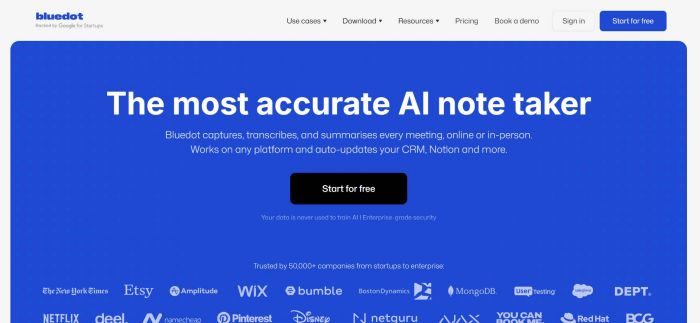
Bluedot is a bot-free AI meeting assistant available as a Chrome extension and native apps for macOS, Windows, iOS, and Android. It records, transcribes, and summarizes meetings without ever appearing as a participant in the attendee list — making it the most privacy-conscious and least disruptive option in the category.
Why Bluedot stands out
No bot in the meeting. Bluedot records entirely on your end. Clients and colleagues never see an unexpected AI participant join the call. For customer-facing teams, this is the single most important differentiator — it keeps meetings professional and eliminates consent awkwardness.
Transcripts are private by default. Bluedot doesn't automatically share notes with meeting participants. You control who sees what, every time. There's no risk of internal discussions or prospect notes accidentally reaching the wrong inbox.
100+ languages. Bluedot transcribes and summarizes meetings in over 100 languages — making it the strongest choice for global teams by a significant margin. Most competitors top out at 16–30 languages.
Full video recording. Bluedot supports video recording on Google Meet, Microsoft Teams, Zoom, and other major platforms — not just audio.
AI chatbot for past meetings. You can query your meeting library conversationally: ask what was decided in last Tuesday's call, find all meetings where a specific topic came up, or pull action items across a date range.
Clean, structured summaries. Bluedot generates well-organized meeting notes that require minimal editing — a contrast to tools that produce walls of text requiring significant manual cleanup.
Bluedot Pricing
Free plan: 5 lifetime meetings. Paid plans provide unlimited meetings, video recording, full language support, and AI chatbot access — without monthly minute caps or shrinkflation.
Bluedot Pros and Cons
| ✅ Pros | ❌ Cons |
| Bot-free — never appears in the attendee list | Free plan limited to 5 lifetime meetings |
| Transcripts private by default | Requires Chrome extension or desktop app |
| 100+ languages for transcription and summaries | |
| Video recording on Google Meet, Teams, Zoom, and more | |
| AI chatbot for querying past meetings | |
| Available on Chrome, macOS, Windows, iOS, and Android | |
| No misuse of contacts or calendar permissions |
#2. Fireflies AI — Best for CRM Integrations
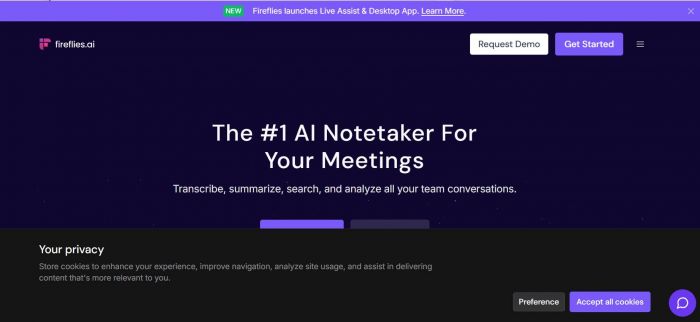
Fireflies AI is a bot-based meeting assistant purpose-built for sales and customer success teams. It records via a bot, generates transcripts and summaries, and integrates natively with Salesforce, HubSpot, Notion, Slack, Asana, and 30+ other tools. It also offers sentiment analysis — summarizing each participant's mood and engagement level after a call.
Fireflies publicly states that it never uses your meeting content to train AI models, which puts it ahead of some competitors on the privacy front. Transcription quality is solid and generally reliable across most audio conditions.
The main trade-off is the bot. It joins your meeting as a visible participant, which can feel awkward on sensitive client calls. Some users have also reported unclear billing behavior on plan changes.
Pricing: Free plan with limited storage. Pro: $10/seat/month (annually). Business and Enterprise tiers for advanced CRM automation and analytics.
| ✅ Pros | ❌ Cons |
| Native integrations with Salesforce, HubSpot, Slack, Notion, 30+ tools | Bot-based — visible in attendee list |
| Doesn't train AI models on your meeting data | Transcription issues with accents and fast speakers |
| Sentiment analysis after each call | Advanced features require higher-tier plans |
| 30+ language support | Some reports of confusing billing on plan changes |
#3. Fathom — Best Free Plan for Individuals
Fathom offers what is widely considered the most generous free tier in the AI meeting assistant category: unlimited recording, unlimited transcription, and unlimited storage for individual users at no cost. AI summaries are capped at 5 per month on the free plan, but there are no minute limits or recording length caps.
Summaries are delivered within ~30 seconds of a call ending — faster than most competitors. The platform uses a visible bot participant, and CRM sync with Salesforce and HubSpot is gated behind the Business plan ($25/user/month).
Pricing: Free: unlimited recordings, 5 AI summaries/month. Premium: $16/month (annually). Team: $15/user/month. Business: $25/user/month.
| ✅ Pros | ❌ Cons |
| Unlimited recordings and storage on free plan | AI summaries capped at 5/month on free tier |
| Fast summaries — ~30 seconds post-meeting | Visible bot joins every call |
| 15+ AI summary templates | No mobile app — in-person meetings not supported |
| SOC 2, GDPR, and HIPAA compliant | CRM field sync requires Business tier |
#4. tl;dv — Best for Async Teams
tl;dv is built around the idea that most meeting value should be shareable after the fact. It supports recording on Zoom, Google Meet, and Teams, generates AI summaries, and lets users create timestamped video clips of key moments — making it a strong choice for UX researchers, product teams, and async-first organizations.
Language support covers 30+ languages, and the Pro plan at $10/month (annually) is one of the more affordable paid options in the market. The free plan technically allows unlimited recordings, but is limited to 10 lifetime AI-powered summaries — meaning most professional users will upgrade quickly. There's no native mobile app.
Pricing: Free: unlimited recording, 10 AI summaries lifetime. Pro: ~$10/month (annually). Business: $59/month.
| ✅ Pros | ❌ Cons |
| Excellent video clip and async sharing workflow | Bot-based recording |
| Affordable Pro plan ($10/month) | Free plan: only 10 lifetime AI summaries |
| 30+ languages | No native mobile app |
| Strong for product research and UX teams | Large price gap: Pro ($10) vs. Business ($59) |
#5. Krisp AI — Best for Bot-Free + Noise Cancellation
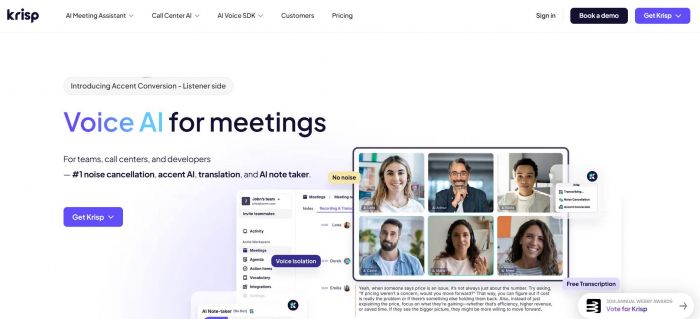
Krisp AI started as a noise-cancellation tool and has grown into a full AI meeting assistant with bot-free recording, transcription, and AI summaries. Like Bluedot, it records without joining as a visible participant — making it the only other meaningfully bot-free option on this list.
Krisp's noise cancellation is best-in-class and directly improves transcription accuracy across the board. It supports 16+ languages and includes useful premium features like AI agendas (prep notes based on past calls with the same contact). The main limitations: mobile apps are paid-only, video recording requires the desktop app, and there's no permanently free tier — only a 7-day trial.
Pricing: 7-day free trial. Paid plans start at ~$16/month.
| ✅ Pros | ❌ Cons |
| Bot-free recording — never joins as a participant | Only 16+ languages (vs. 100+ in Bluedot) |
| Best-in-class noise cancellation | No permanent free tier — 7-day trial only |
| AI agendas from past call history | Mobile apps on paid plans only |
| No unauthorized invites or calendar misuse | Video recording requires desktop app |
How We Evaluated These Tools
We assessed each tool against six criteria:
Privacy and data handling — Does the tool train on your meeting content? Are transcripts private by default? Is there a documented history of data misuse?
Recording approach — Bot-based or bot-free? This affects professionalism on external calls and participant consent.
Transcription and summary quality — Tested across multiple languages, speaker counts, and audio conditions. Supplemented with user reviews from G2, Reddit, and Capterra.
Language support — The number of languages for transcription and AI summaries.
Integrations — Native connectors to CRM tools, Slack, Notion, and project management platforms.
Pricing value — Free plan usefulness, paid plan limits, and whether pricing is transparent and stable over time.
Which AI Meeting Assistant Is Right for You?
You want the best overall option: → Bluedot. Bot-free, 100+ languages, private by default, video recording, clean summaries. Solves the most problems without introducing new ones.
You're in sales and live in Salesforce or HubSpot: → Fireflies AI. Solid CRM sync, sentiment analysis, and 30+ language support at an affordable price.
You want a great free plan as an individual: → Fathom. Unlimited recordings and storage for free; upgrade when you need more than 5 AI summaries per month.
Your team works async across time zones: → tl;dv. The clip-and-share workflow makes meeting content digestible for people who weren't on the call.
Noise cancellation is your top priority: → Krisp AI. Best-in-class audio cleanup that makes every other tool perform better too.
Why Bluedot Is the Best AI Meeting Assistant in 2026
Most AI meeting assistants solve part of the problem. Bluedot solves the whole thing.
It's the only tool on this list that is genuinely bot-free, supports 100+ languages, keeps transcripts private by default, and offers full video recording — all in one package. You don't have to choose between discretion and capability.
For teams where client relationships matter, where meeting content is sensitive, and where a visible AI bot in the attendee list would create friction — Bluedot is the clear answer. And for individuals who simply want accurate, well-organized notes without the overhead: it works just as well there too.
Post Comment
Be the first to post comment!