On This Page
- Quick Overview of BeArt AI
- What BeArt AI Says It Does
- How the Platform Actually Works
- Cross-Platform User Sentiment Analysis
- What Users Like the Most
- Where Users Report Problems
- Feature Performance vs User Complaints
- Comparison With Competing Face Swap Tools
- Who Should Actually Use BeArt AI
- Alternatives Worth Considering
- Final Verdict: A Surprisingly Capable Free Tool
- Frequently Asked Questions
The internet has always loved a good visual trick. At first it was a Photoshop disaster. Then came deepfake experiments. Now AI face swap tools have turned what used to require professional editing skills into a one-click activity that takes less time than ordering coffee.
Behind the humor and viral memes, however, there is a serious market forming. AI face swap platforms have grown into a $1.9 billion industry, driven by creators, marketers, filmmakers, and casual users experimenting with digital identity transformations. The category is expected to grow dramatically over the next decade as generative media tools become mainstream.

Within this rapidly expanding ecosystem, one relatively new platform has been quietly attracting attention: BeArt AI. The reason is simple. Unlike many tools that charge monthly subscriptions or lock exports behind watermarks, BeArt AI offers face swaps across photos, GIFs, and videos without requiring login or payment to get started.
Instead of relying on marketing claims, this article takes a cross-platform approach. The analysis combines official product documentation, independent tool reviews, aggregated user sentiment, and competitor comparisons to determine where BeArt AI actually stands in the growing AI creative tool ecosystem.
Quick Overview of BeArt AI
Before diving into workflow and user feedback, a snapshot helps clarify what the platform actually offers.
| Attribute | Details |
| Tool | BeArt AI |
| Website | https://beart.ai |
| Category | AI face swap and creative editing platform |
| Core Function | Face swapping for photos, videos, and GIFs |
| Technology | Deep learning facial recognition and synthesis |
| Platform | Web based, browser only |
| Domain Age | About 14 months |
| Global Rank | ~65,804 worldwide |
| Trust Score | 95/100 security rating |
| Pricing Model | Credit based pay per use |
| Free Tier | 20 credits weekly without login, 100 with account |
| Watermark Policy | No watermark on any output |
This positioning is important. Most competitors operate under subscription models. BeArt AI uses a credit-based system, meaning casual users may never need to pay if they stay within the weekly credit limits.
What BeArt AI Says It Does
Every AI tool promises something impressive, and BeArt AI is no exception. According to the official platform description, the system analyzes facial landmarks, lighting conditions, angles, and expressions before generating a blended face replacement that appears natural in the target image or video.
The company claims approximately 98 percent facial accuracy, with the AI automatically adjusting skin tone, shadows, and facial geometry. This allows swaps to maintain visual consistency even when lighting conditions differ between source and target images.
However, the tool is not limited to face swapping alone. The platform bundles several additional creative utilities, including AI lip sync, image unblurring, video upscaling, portrait generation, watermark removal, and general AI image editing.
In other words, BeArt AI presents itself less as a single tool and more as a lightweight AI creative toolkit centered around facial transformation.
How the Platform Actually Works
Opening the Tool
The onboarding experience is almost comically simple. Visit the website and the tool is ready to use. No email address. No registration wall. No onboarding tutorial asking about your life goals.
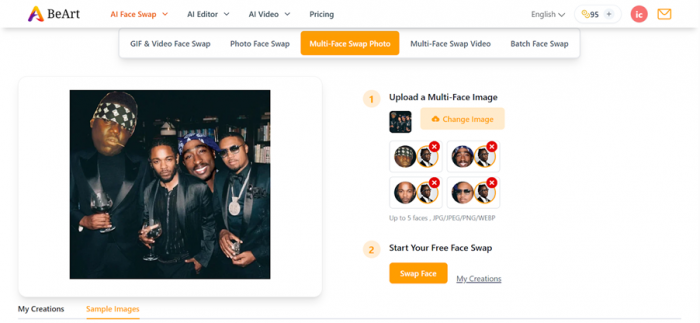
This frictionless design is intentional. Many users discover the platform through social media or search engines and want to test face swapping immediately rather than filling out a form.
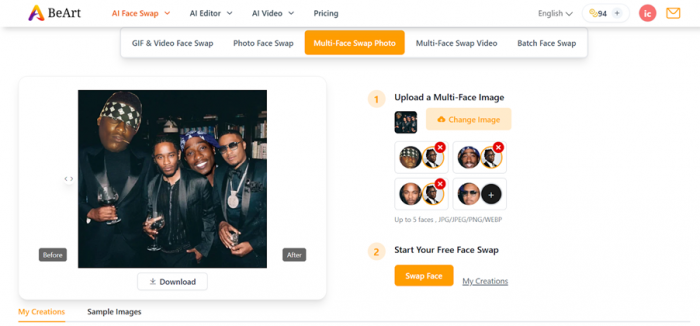
Registering does increase the weekly credit allowance from 20 to 100 credits, but the basic functionality works without creating an account.
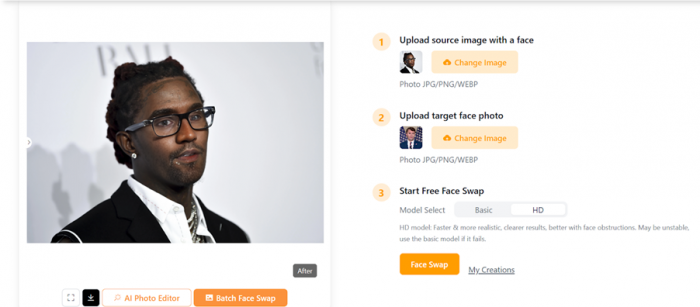
The Face Swap Workflow
The process itself follows a simple four step pipeline.
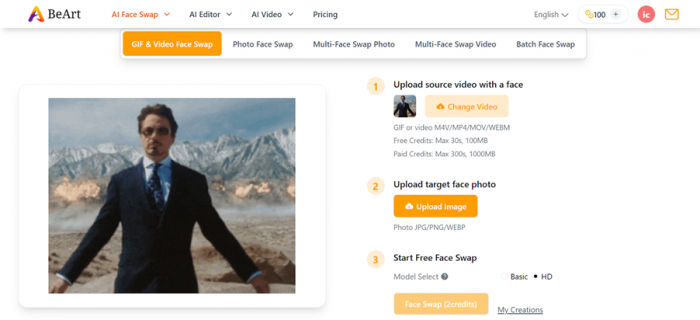
• Upload the face that will replace the original subject
• Upload the target image or video
• Start the AI processing
• Download the generated result
Photo swaps typically cost one credit per image, while video swaps consume credits per second depending on frame rate. The higher the frame rate and video length, the higher the credit cost.
Output Quality
In practical use, photo swaps produce the most reliable results. The AI handles lighting adjustments, edge blending, and facial alignment effectively when source images are clear and well lit.
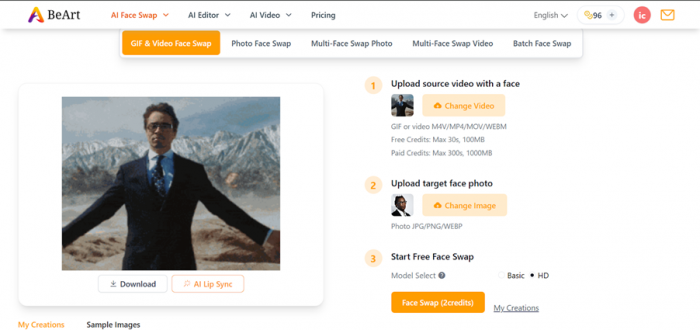
Video swaps are more unpredictable. Simple clips with steady camera angles generally work well, while footage with rapid motion or complex lighting can introduce visual artifacts such as flickering or drifting facial alignment.
Multi-Face Swapping
One feature that stands out is the ability to swap up to five faces simultaneously in group photos or videos.
Many competing tools cap this capability at three or four faces, making BeArt AI slightly more flexible for meme creators and collaborative content production.
Cross-Platform User Sentiment Analysis
To understand how the tool performs outside of marketing claims, feedback from multiple platforms was analyzed.
| Platform | Sentiment | Approx Reviews | Notes |
| BittleBits Aggregated Reviews | Positive | ~150 | Free tier praised heavily |
| GridinSoft Security Scan | Positive | Security analysis | High trust score |
| AI News Hub | Positive | Editorial review | Highlights usability |
| CreativeToolsAI | Positive | Tool breakdown | Focus on workflow speed |
| YouTube Demos | Mostly positive | Demonstrations | Creators show real results |
| Slashdot Comparison | Neutral | Tool comparison | Notes market positioning |
A notable observation is that BeArt AI does not yet have listings on major review platforms such as Trustpilot, G2, or Capterra. This is consistent with its relatively young age.
What Users Like the Most
Across multiple reviews and community discussions, several themes appear repeatedly.
• The absence of watermarks even on free exports
• The ability to use the tool without creating an account
• Fast processing speed for photos
• Support for both photo and video face swaps in a single tool
For many users, the first point is the most important. Free AI tools often watermark outputs aggressively to push users toward paid plans. BeArt AI removes that barrier entirely.
Where Users Report Problems
Even tools that generate viral excitement have weaknesses, and user feedback highlights several recurring issues.
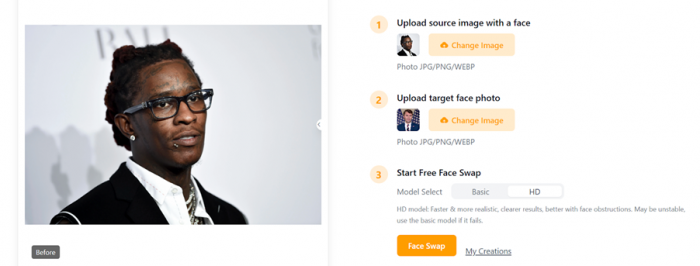
The most common problem is generation failure when source images are poor quality. If lighting is inconsistent or the face is partially obscured, the AI sometimes refuses to produce a result instead of attempting a degraded swap.
Another issue involves temporary file storage. Generated content is stored for a limited period and deleted automatically, which means users must download results quickly.
Some users also express uncertainty around commercial usage rights, since the platform does not clearly state whether generated media can be used in monetized projects.
Feature Performance vs User Complaints
A useful way to understand the tool is to compare features with the issues users report.
| Feature | User Value | Common Issues Reported | Sentiment |
| Photo Face Swap | Fast and realistic results | Fails with blurry or angled faces | Mostly positive |
| Video Face Swap | Works for short clips | Motion tracking errors | Mixed |
| Multi Face Swap | Supports up to five faces | Processing time increases | Positive |
| AI Lip Sync | Useful for content creators | High credit usage | Mixed |
| Image Enhancement | Restores clarity | Limited for extremely damaged images | Neutral |
| Watermark Free Export | Ready for sharing | None reported | Very positive |
The table highlights a clear pattern. The core face swap features perform well, while more advanced functions such as video processing and lip syncing show greater variability.
Comparison With Competing Face Swap Tools
The AI face swap market is crowded, so understanding where BeArt AI fits requires comparing it with other tools.
| Tool | Key Advantage | Limitation | Pricing |
| BeArt AI | Free tier, no watermark | New platform | Free plus credit packs |
| Reface | Viral GIF templates | Limited custom video support | $3.99–$9.99 monthly |
| DeepSwap | Professional video deepfakes | Subscription model | $9.99 monthly |
| Magic Hour | API integration | Expensive pro plan | $10–$49 monthly |
| FaceSwap.dev | Open source flexibility | Complex setup | Free |
This comparison reveals the platform’s niche. BeArt AI targets users who want professional output without recurring subscriptions.
Who Should Actually Use BeArt AI
Different user groups benefit from the tool in different ways.
Social media creators are the most obvious audience. Fast generation speeds and watermark-free exports make it easy to produce meme content, TikTok videos, or short clips for Instagram.
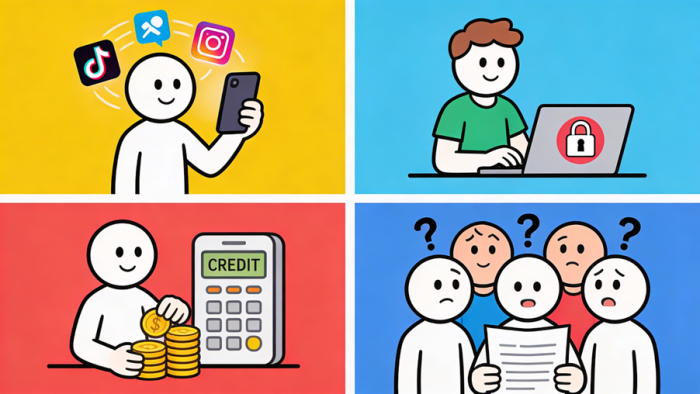
Casual experimenters also benefit. Because the tool requires no login, users can test AI face swapping without installing software or sharing personal information.
Freelancers working with limited budgets may appreciate the credit-based model, which avoids the ongoing costs associated with subscription software.
However, large teams and professional studios may find the platform less suitable due to limited transparency around company ownership and commercial licensing terms.
Alternatives Worth Considering
Some users may prefer other tools depending on their needs.
| Tool | Best For | Website |
| Reface | Social media GIF content | https://reface.ai |
| DeepSwap | Professional video deepfakes | https://deepswap.ai |
| Magic Hour | API integrations | https://magichour.ai |
| FaceSwap.dev | Open source customization | https://faceswap.dev |
| Vidnoz AI | Marketing and presentation videos | https://vidnoz.com |
Each of these tools emphasizes different strengths such as automation, templates, or professional editing pipelines.
Final Verdict: A Surprisingly Capable Free Tool
BeArt AI occupies a strange but interesting position in the AI creative landscape. Most competitors monetize aggressively through subscriptions and watermark restrictions. BeArt AI removes those barriers and instead uses a flexible credit system.
For casual users and content creators, this approach works extremely well. Photo swaps are fast and realistic, and the ability to experiment without creating an account makes the tool unusually accessible.
The biggest unanswered question is transparency. The company behind the platform remains largely anonymous, and commercial licensing terms are not clearly defined.
Still, as a free creative playground for AI face swapping, BeArt AI delivers far more capability than many users expect.
Frequently Asked Questions
Is BeArt AI completely free?
The platform offers free weekly credits. Additional usage requires purchasing credit packs.
Do I need to create an account?
No. Basic functionality works without login, though registration increases the weekly credit allowance.
Can BeArt AI swap faces in videos?
Yes. Video swaps are supported but consume credits per second depending on frame rate.
Does the tool add watermarks to outputs?
No. One of its biggest advantages is watermark-free exports.
Is BeArt AI safe to use?
Security scans show a high trust rating, but company transparency remains limited.
What are the best alternatives to BeArt AI?
Popular alternatives include Reface, DeepSwap, Magic Hour, FaceSwap.dev, and Vidnoz AI.
Post Comment
Be the first to post comment!