On This Page
I’m just an average person with a whole list of cool app ideas but absolutely no desire to learn Python. Seriously, the idea of staring at lines of code gives me a headache. So, when I found out about Imagica AI, a tool that promises you can build real, functional AI apps just by telling it what you want, I had to try it.
This isn't a technical review. This is me telling you exactly what it felt like to use it, what was easy, what was tricky, and whether it actually works for people who just have ideas and zero coding skills.
The Core Idea: What Makes This "No-Code" Actually Work?
The biggest difference between Imagica AI and other "no-code" tools is how you build. Most others make you drag and drop little blocks and menus. Imagica AI makes you type a sentence.
I wanted to build a simple business tool, let’s call it the “Startup Idea Validator.” It needed to take a vague business concept and quickly spit out three major risk factors and a simple competitor list.
My Personal Experience: I typed, "Build an app called 'Startup Idea Validator' that accepts a business idea, then generates three key risk factors and three major competitor companies."
The platform immediately understood the whole sentence. It didn’t just create a text box; it created the complex AI function needed to analyze a business concept and produce structured data. It’s like magic because it translates your intent into software logic in one step. It’s a genuine superpower for people who are good at thinking but not good at typing code.
The Speed Test: Building an App Faster Than Ordering Pizza
(Why speed is your new secret weapon)
If you have a business idea, the fastest way to succeed (or fail!) is to test it. Imagica AI is built for speed.
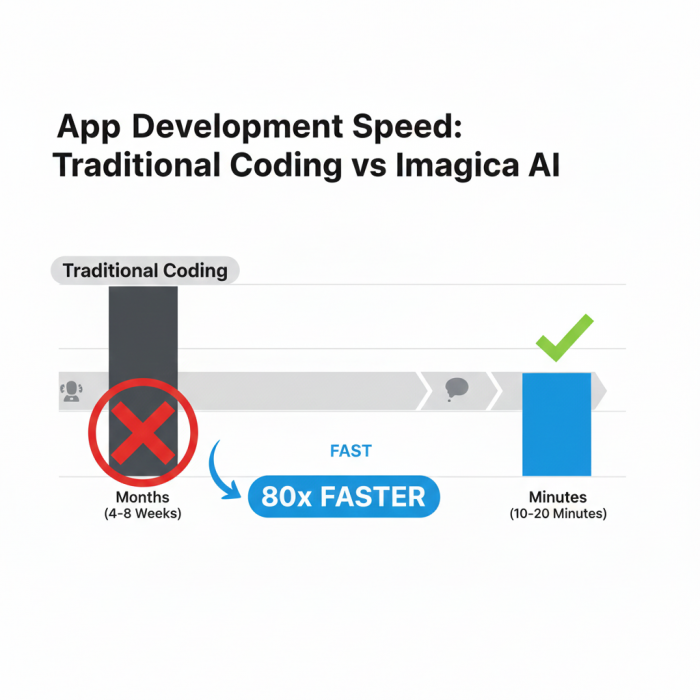
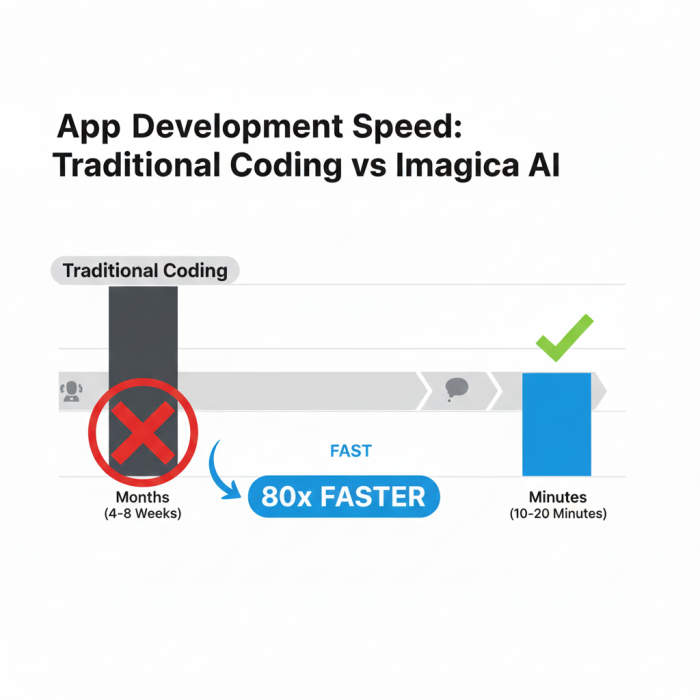
My Process: From the moment I typed that initial sentence, the "Startup Idea Validator" was functional—ready to accept inputs and generate outputs—in about 15 minutes.
10 minutes: Typing the initial prompt and setting up the basic interface (the system does this automatically).
5 minutes: My first test runs and making small tweaks to the wording.
My Conclusion: You can validate a new business idea, build an internal tool for your small company, or create a teaching aid for a class faster than any other method I know. It's the ultimate tool for rapid prototyping (or, just building stuff fast).
The Catch: Simple Words Must Be Smart Words
(The one skill you still need to learn: The Prompt)
This is the big "gotcha," but it’s still way easier than code. While you don't need to know Python, you need to be a precise communicator.
My "Validator" app first gave me vague risks like "Competition exists" and "Funding is hard." Not very helpful.
The Fix: I went back and edited my original prompt, adding clarity: "The app must ensure the three key risk factors are specific and actionable, citing potential market shifts or regulatory hurdles, not just generic warnings."
That one sentence edit instantly improved the app's quality.
My takeaway: You are now the boss telling the AI what to build. You have to be a good boss and give clear instructions. If the app is acting weird, the code isn't broken—your instruction is too simple! Learning to write a great, detailed prompt is the new coding skill.
Making Money: Turning Your Idea Into a Business with One Click
(The easiest way to start a side-hustle)
Most people stop creating apps because they don't want to deal with the business side: getting paid.
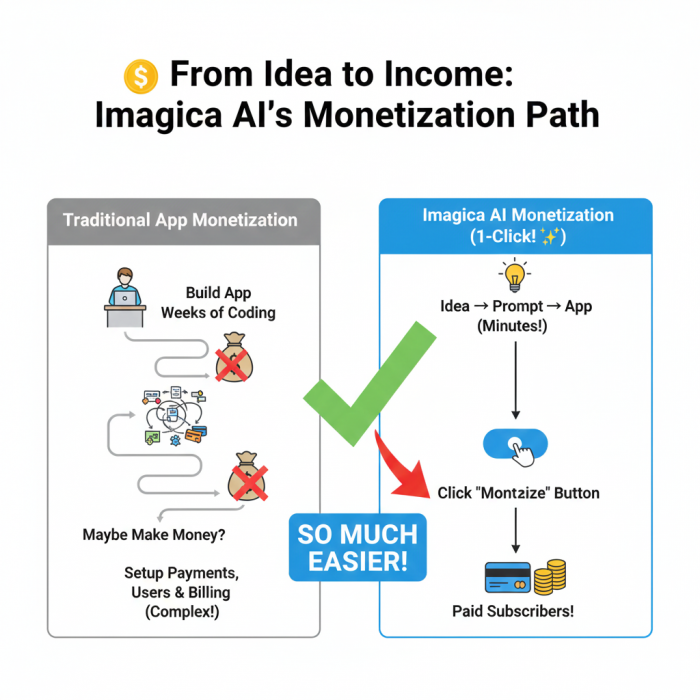
My Favorite Feature: The one-click monetization. On the Business Plan, there's a simple button you push, and boom—your app can start charging users a monthly fee.
What this replaces: Setting up a payment service (like Stripe), creating user accounts, building a secure login system, and managing subscriptions. These are weeks of complex work. Imagica AI handles all of it behind the scenes.
The Simple Truth: This is the tool that gives the average person the best shot at creating a micro-SaaS (a tiny, subscription-based software company) without needing a technical co-founder. You focus on the idea; the platform focuses on collecting the cash.
More Than Text: Working with Pictures, Video, and Live Info
(Why your apps aren't just boring text boxes)
Modern apps need to do more than just read and write text. Imagica AI supports multimodal input and output.
Images: My travel app idea (from the last review) could generate realistic images of destinations.
Audio/Video: You can build tools that summarize a YouTube video or transcribe a voice note.
Live Data (The URL Trick): This is huge. I could tell my "Validator" app to use information from a specific industry news website (by giving it the URL) to ensure its risk factors were based on today's news, not just old data. This makes your app feel current and smart.
The Limitations: Where the Coders Still Win
(Where this tool is NOT the best choice)
No tool is perfect. For all its power, Imagica AI has two big limits you need to know about:
Design Looks The Same: You can change colors and fonts, but you can't build a completely unique, fancy-looking interface. If you need a custom button that glows blue and flies across the screen, you still need a programmer. This tool prioritizes functionality over flashy design.
You Can't See the Code: This is the "Black Box" problem. When your app breaks or misbehaves, you can't open the hood and mess with the code. Your only way to fix it is to go back and edit your prompt (your original sentence) to give the AI better instructions. It’s a trade-off for simplicity.
Who Should Absolutely Use This?
I’ve personally used it and seen its power. Here's who should jump on the free plan right now:
The Idea Person: You have ten ideas but haven't started any of them.
The Marketer/Creator: You need specific, unique tools for generating social media posts or analyzing content tone.
The Small Business Owner: You need a simple, custom tool for your staff (like an internal data checker or a quick analysis tool) but can't afford custom software.
Imagica AI is not going to put Google out of business. It’s going to put the power to build simple, useful software back into the hands of the people who actually use it every day: us.
My Personal Rating of Imagica AI
After using Imagica AI for my own projects (the "Startup Idea Validator" and the "Weekend Adventure Planner"), here is my honest rating and breakdown.
I rate Imagica AI: 4 out of 5 Stars because it delivered 100% on its promise to empower the non-coder. It gets marks off only for the design limitations and the steep "Prompt Engineering" learning curve, which are expected trade-offs when you choose simplicity over complexity. For the average person with a great idea, it's a revolutionary tool.
Post Comment
Be the first to post comment!