On This Page
- 1. OpenAI / ChatGPT Platform
- 2. Microsoft Azure AI & Azure OpenAI
- 3. Google Cloud Vertex AI
- 4. Amazon SageMaker & Bedrock
- 5. IBM watsonx
- 6. TensorFlow & Keras Ecosystem
- 7. PyTorch & PyTorch Lightning
- 8. Hugging Face Hub & Inference
- 9. DataRobot
- 10. ThoughtSpot & Tellius (AI Analytics)
- 11. Kore.ai
- 12. Kubiya
- 13. Notion AI & ClickUp Brain
- 14. Lovable, Bolt, Cursor, and Bubble (AI App Builders)
- 15. Midjourney, DALL·E, Adobe Firefly, Runway, Synthesia (Generative Media)
- 16. Enterprise AI Suites (ChatGPT Enterprise, Copilot, Gemini for Workspace)
- 17. AI Testing & QA Platforms (e.g., CoTester)
- 18. Vertical AI Platforms (Industry‑Specific Stacks)
- Final Conclusion
AI platforms in 2026 have converged into powerful “operating layers” that sit across your data, workflows, and channels—covering everything from low‑code app building to enterprise‑grade MLOps and agent orchestration. Here is a breakdown of 18 leading AI platforms, including real strengths, trade‑offs, and best‑fit scenarios for teams and builders in 2026.
1. OpenAI / ChatGPT Platform
OpenAI’s ChatGPT platform remains the flagship general‑purpose AI environment with APIs, assistants, and a vibrant ecosystem of plugins and integrations.
Key features
● GPT‑class models with strong reasoning, code, and multimodal capabilities (text, images, audio).
● Assistants API, fine‑tuning, and tools/plugin framework for retrieval, function calling, and actions.
● Enterprise offerings with SOC‑aligned security, admin controls, and SSO.
Pros
● Market‑leading model quality and third‑party ecosystem.
● Rich docs, SDKs, and community content that shortens build time.
Cons
● Vendor lock‑in risk for teams building deeply around proprietary APIs.
● Strict data‑policy and compliance constraints for some regulated sectors.
Best use case
● Product teams and startups building AI copilots, chat interfaces, and automation powered by high‑capability LLMs with minimal infra work.
2. Microsoft Azure AI & Azure OpenAI
Azure AI wraps Azure Machine Learning, Cognitive Services, and Azure OpenAI into a unified platform aimed squarely at enterprises already on Microsoft stack.
Key features
● Fully managed ML lifecycle (data prep, training, deployment, monitoring) via Azure ML.
● Azure OpenAI service for GPT‑class models inside enterprise security boundaries.
● Native integration with Azure DevOps, Purview, Power Platform, and Microsoft 365.
Pros
● Strong governance, RBAC, and compliance for large organizations.
● Smooth path from POC to production if the org is already on Azure.
Cons
● Can feel heavy and complex for smaller teams without cloud engineers.
● Cost structure and quota management need careful planning at scale.
Best use case
● Large enterprises in the Microsoft ecosystem building secure AI agents, copilots, and analytics on top of existing Azure workloads.
3. Google Cloud Vertex AI
Vertex AI is Google Cloud’s unified ML and AI platform, bundling AutoML, custom training, MLOps, and access to Google’s latest models (Gemini, PaLM).
Key features
● End‑to‑end pipelines: ingestion, training, deployment, and monitoring in one console.
● Built‑in support for Vertex AI Search/Conversation, RAG, and multimodal Gemini models.
Pros
● Strong for data‑heavy teams already using BigQuery, Looker, or GCP.
● Advanced tooling for MLOps and experiment tracking out of the box.
Cons
● Learning curve for non‑ML practitioners compared to no‑code tools.
● Works best if your infra and data estate are already on GCP.
Best use case
● Analytics‑driven companies building predictive models, search/chat over large datasets, and production‑grade RAG experiences on Google Cloud.
4. Amazon SageMaker & Bedrock
AWS’s AI story centers on Amazon SageMaker for ML lifecycle and Amazon Bedrock for managed foundation models from multiple providers.
Key features
● SageMaker for data labeling, training, tuning, hosting, and monitoring ML models.
● Bedrock to access multiple FMs (including Amazon and partner models) via a unified API.
Pros
● Deep integration with AWS data stack (S3, Redshift, Lambda, Step Functions).
● Flexibility to mix classical ML and LLM workloads under one roof.
Cons
● Complex pricing and configuration for newcomers to AWS.
● UI and UX can feel fragmented compared with newer, opinionated tools.
Best use case
● Organizations heavily on AWS that want to infuse AI into existing cloud workloads, from batch predictions to agents and copilots.
5. IBM watsonx

IBM’s watsonx focuses on trustworthy AI with governance and multi‑cloud flexibility for regulated industries.
Key features
● watsonx.ai for model building and tuning, watsonx.data for governed data lakes, and watsonx.governance for policies and auditability.
● Emphasis on explainability, lineage, and model risk management.
Pros
● Strong alignment with compliance‑heavy sectors like finance, healthcare, and government.
● Support for both IBM and open‑source models.
Cons
● Less “developer‑first” and more “governance‑first,” which can feel slow for rapid prototyping.
● Smaller independent developer ecosystem than the hyperscalers.
Best use case
● Enterprises where audit trails, explainability, and risk controls are as critical as raw model performance.
6. TensorFlow & Keras Ecosystem
TensorFlow remains a core open‑source framework powering many custom AI platforms and in‑house ML stacks.
Key features
● Extensive libraries for deep learning, distributed training, and deployment to cloud, edge, and mobile.
● Keras as a high‑level API for faster model development.
Pros
● Massive community, tutorials, and integrations with tools like TFX and Vertex AI.
● No licensing fees; flexible for research and production.
Cons
● Requires ML engineering skill; not a turnkey product for business users.
● Competes with PyTorch for mindshare in research circles.
Best use case
● Engineering teams building bespoke models and pipelines where full control over architecture and deployment is required.
7. PyTorch & PyTorch Lightning
PyTorch is the de‑facto standard for deep learning research, increasingly used in production via libraries and managed services.
Key features
● Dynamic computation graph, making experimentation easier.
● Ecosystem of libraries for vision, NLP, and reinforcement learning.
Pros
● Favored by researchers and startups working on cutting‑edge models.
● Flexible integration into custom backends and MLOps systems.
Cons
● Not a “platform” with UI; you must assemble infra around it.
● Requires deep technical skill and DevOps alignment.
Best use case
● R&D teams and AI‑first startups building proprietary foundation models or novel architectures.
8. Hugging Face Hub & Inference
Hugging Face has evolved into a “GitHub for models,” plus hosted inference, spaces, and enterprise offerings.
Key features
● Model Hub with thousands of open models, datasets, and spaces.
● Inference endpoints, text‑generation‑inference (TGI), and private Hub for organizations.
Pros
● Best ecosystem for open models and fast experimentation.
● Strong community, transformers library, and ready‑to‑use checkpoints.
Cons
● Open‑model governance and IP risk require diligence in enterprises.
● Scaling high‑traffic workloads may still push teams to cloud‑native infra.
Best use case
● Teams wanting to mix open‑weight models, rapid prototyping, and bring‑your‑own‑infra deployments.
9. DataRobot

DataRobot is an end‑to‑end, enterprise AutoML and AI lifecycle platform that abstracts much of the complexity of ML.
Key features
● Automated model development, evaluation, and deployment with explainability.
● Time‑series forecasting and production monitoring capabilities.
Pros
● Business‑friendly UI that enables analysts to build models without deep coding.
● Strong in traditional predictive analytics and forecasting workloads.
Cons
● Less focus on cutting‑edge multimodal LLM experiences.
● Licensing geared toward mid‑to‑large enterprises.
Best use case
● Enterprises operationalizing classic ML (churn, credit risk, demand forecasting) with governance and non‑technical stakeholders in the loop.
10. ThoughtSpot & Tellius (AI Analytics)

ThoughtSpot and Tellius represent AI‑native analytics platforms that turn natural‑language queries into dashboards and insights.
Key features
● NLQ (natural language query) over cloud data warehouses such as Snowflake and BigQuery.
● Auto‑generated visualizations, AI insights, and explanation tools.
Pros
● Great for business users who want self‑serve analytics without SQL.
● Tight integrations with modern data stacks.
Cons
● Focused primarily on analytics, not general‑purpose agent platforms.
● Value depends on data quality and warehouse architecture.
Best use case
● Companies democratizing BI so non‑technical teams can ask questions in plain language and get charts, not just tables.
11. Kore.ai
Kore.ai is an enterprise AI platform focused on large‑scale conversational and process agents across customer and employee experiences.
Key features
● Agent orchestration, enterprise search/RAG, workflow automation, and multichannel bot deployment in a single control plane.
● Tools for CX, EX, and process bots, plus observability and governance.
Pros
● Built from the ground up for large, multi‑bot, multi‑department deployments.
● Strong emphasis on lifecycle management and compliance.
Cons
● Overkill for small teams needing a single chatbot.
● Implementation often requires partner or internal platform team.
Best use case
● Enterprises consolidating dozens of legacy bots and scripts into a unified, governed AI agent layer.
12. Kubiya
Kubiya is an agentic DevOps and engineering platform that turns natural‑language requests into safe automated actions across infra and tools.
Key features
● Role‑aware agents that execute tasks inside CI/CD, cloud infra, and internal tools with audit trails.
● Policy‑driven access, observability, and workflow orchestration.
Pros
● Purpose‑built for operational AI, not just chat interfaces.
● Strong fit for platform and SRE teams.
Cons
● Narrower horizontal scope than general LLM platforms.
● Requires integration work with existing engineering stack.
Best use case
● Engineering organizations wanting on‑demand “DevOps copilots” that can safely run actions, not just generate text.
13. Notion AI & ClickUp Brain
Notion AI and ClickUp Brain illustrate how productivity suites are morphing into work OS platforms with embedded AI.
Key features
● Native AI inside docs, tasks, and wikis (summaries, writing, outlining, project intelligence).
● Contextual assistance using workspace content as knowledge.
Pros
● Zero‑friction adoption because AI lives where teams already work.
● Great for individuals and SMBs needing practical, everyday leverage.
Cons
● Less flexible for external apps, bespoke workflows, or data‑science‑heavy projects.
● Model and infra choices abstracted away, so limited control.
Best use case
● Teams who want immediate productivity wins—summaries, status digests, and content creation—from their existing collaboration suites.
14. Lovable, Bolt, Cursor, and Bubble (AI App Builders)

Platforms like Lovable, Bolt, Cursor, and Bubble focus on AI‑assisted software creation for non‑technical and technical builders.
Key features
● AI assistants that scaffold apps, generate code, and wire integrations.
● Visual builders, templates, and deployment pipelines for web apps and internal tools.
Pros
● Shrink time from idea to MVP dramatically.
● Open to both non‑coders (Bubble‑style) and engineers (Cursor/Bolt‑style).
Cons
● Risk of platform dependency for core product logic.
● Complex, high‑scale systems may still require custom engineering.
Best use case
● Startups and product teams spinning up prototypes, internal tools, and niche SaaS products without large engineering headcount.
15. Midjourney, DALL·E, Adobe Firefly, Runway, Synthesia (Generative Media)
These platforms power AI‑first content creation for images and video at scale.
Key features
● Image generation, editing, style transfer, video generation, and talking‑head/avatars.
● Integrations into creative suites (e.g., Firefly in Adobe products).
Pros
● Compress design and production cycles for marketing, education, and entertainment.
● Templates and presets for non‑designers.
Cons
● IP, licensing, and ethics questions require careful policy and review.
● Consistency across large multi‑asset campaigns can still be challenging.
Best use case
● Creative teams, agencies, and marketers who need fast visual production with human art direction on top.
16. Enterprise AI Suites (ChatGPT Enterprise, Copilot, Gemini for Workspace)

Enterprise editions of ChatGPT, Microsoft Copilot, and Google Gemini offer secure AI inside office suites and enterprise systems.
Key features
● AI in mail, docs, spreadsheets, slides, and meetings.
● Admin controls for data residency, logging, and identity.
Pros
● Wide impact on everyday knowledge work with minimal behavior change.
● Easier procurement in organizations already standardized on Microsoft or Google.
Cons
● Less customizable than pure development platforms.
● Results quality depends on how well org knowledge is structured and shared.
Best use case
● Companies modernizing knowledge work—email, docs, and meetings—without building bespoke AI infrastructure.
17. AI Testing & QA Platforms (e.g., CoTester)
AI‑native testing platforms use agents to write, execute, and heal tests across changing UIs and APIs.
Key features
● Test generation, execution, and automatic maintenance using LLMs.
● Integrations with CI/CD and issue trackers.
Pros
● Reduce brittle test suites and manual QA overhead.
● Helpful for complex front‑ends where selectors frequently change.
Cons
● Still maturing; false positives and flakiness require human oversight.
● Best results in teams already serious about automated testing.
Best use case
● Product engineering orgs that want to scale regression testing and coverage without a huge QA team.
18. Vertical AI Platforms (Industry‑Specific Stacks)
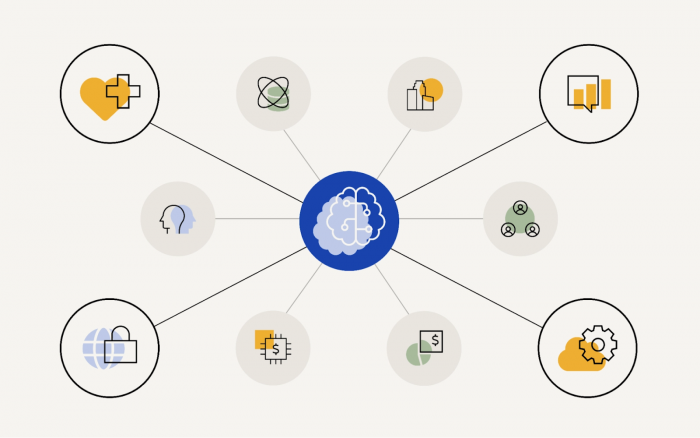
Beyond generalized platforms, 2026 sees a wave of vertical AI platforms for domains like healthcare, legal, finance, and contact centers.
Key features
● Pre‑trained domain models, templates, and compliance packs.
● Embedded integrations with industry systems (EHRs, CRMs, trading platforms).
Pros
● Faster time‑to‑value because they understand industry workflows out of the box.
● Built‑in guardrails aligned to sector regulations.
Cons
● Narrower applicability beyond the chosen vertical.
● Pricing often reflects specialized value rather than generic tooling.
Best use case
● Organizations in heavily regulated or complex industries that want AI aligned with their specific workflows from day one.
Final Conclusion
In 2026, there is no single “best” AI platform—only platforms that are over‑ or under‑powered relative to your context, data, and risk appetite. For most teams, the pragmatic strategy is a hybrid: pair a general‑purpose LLM platform (OpenAI, Azure, Vertex, Bedrock) with one or two domain‑specific or workflow‑native tools (analytics, productivity, DevOps) so you get both depth and leverage without building everything from scratch.
Post Comment
Be the first to post comment!